
Eliminate Conflicting ERP and CRM Records for Good
Last updated: 2nd July 2026
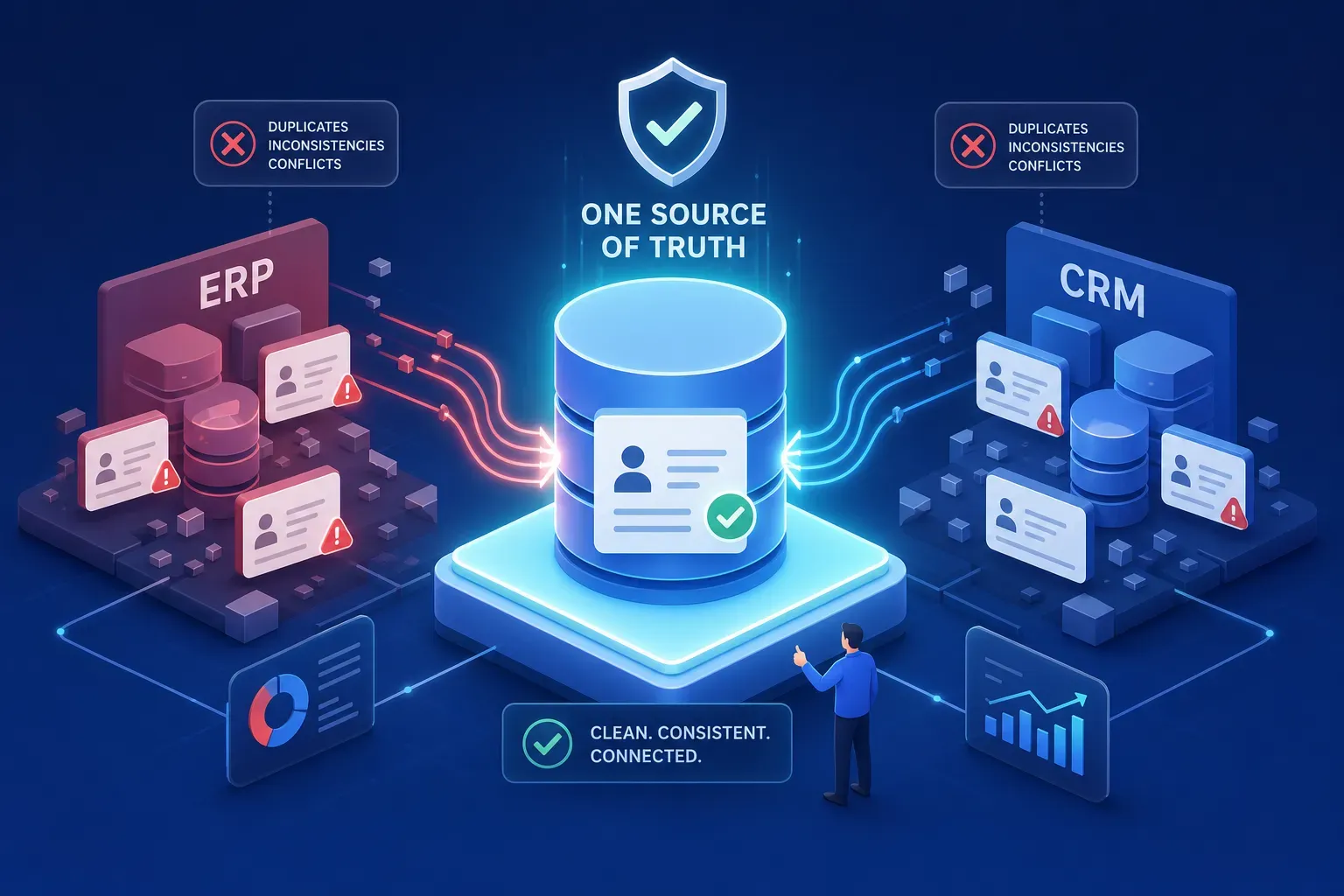
Your sales team closes the quarter with a forecast built from CRM pipeline data. Finance reconciles the books using ERP revenue records. The two numbers don’t match, and nobody in the room can explain which one to trust. To eliminate conflicting records between ERP and CRM, you need more than a onetime cleanup, you need a structural fix. Left unaddressed, this divergence compounds quietly until it breaks something visible: a mispriced invoice, a board presentation built on stale data, or a collections dispute that should never have existed.
Organizations using cross-system validation tools like DQ Pursuit, a cross-system data quality platform, catch these discrepancies before they reach downstream reports, rather than discovering them at monthend close when the cost of correction is highest. The difference between catching a conflict early and discovering it late is the difference between a quick correction and a lengthy audit that pulls multiple teams off their core work.
This article explains why ERP and CRM systems keep diverging, what that divergence costs your business, and how to eliminate conflicting records between ERP and CRM through validation rules, field ownership, and a governance model that holds across reorganizations.
Why ERP and CRM Systems Keep Producing Conflicting Records
ERP and CRM were built for fundamentally different jobs. ERP is transaction-focused, designed to record what happened financially and operationally. CRM is relationship-focused, built to track what might happen with a customer. Because each system defines “customer” and “account” through its own lens, the same entity gets created, updated, and maintained according to two different sets of rules, by two different teams, with no shared standard for what counts as authoritative.
Most conflicts don’t start with a system failure. They start with a sales rep creating a new account in CRM while finance already has that company in ERP under a slightly different name, abbreviated address, or alternate billing contact. That single entry-point divergence, multiplied across hundreds of records over months, is how two systems drift apart without anyone noticing until a real deadline forces a comparison.
Bi-directional integrations make this worse when they’re configured without explicit conflict resolution logic. A record updated in CRM can silently overwrite the correct billing address sitting in ERP, and no alert fires. Without sync direction rules, your integration doesn’t prevent conflicts: it automates them. The technical connection between systems creates the appearance of synchronization while the underlying data continues to diverge at the field level. Integration middleware and iPaaS layers can help enforce those sync rules, but only when conflict resolution logic is explicitly configured within them. For guidance on integrating the two systems effectively, review best practices for CRM‑ERP integration.
The Business Cost of Conflicting Customer Data
When pipeline data in CRM doesn’t reconcile with booked revenue in ERP, finance teams build forecasts on assumptions rather than facts. The result is planning drift: headcount decisions, inventory orders, and cash flow projections that are off from the start because the records they depend on disagree. The error isn’t in the spreadsheet; it’s upstream in the systems that fed it.
Conflicting account records produce the most immediate operational damage at the billing level. When customer name, billing address, or payment terms differ between ERP and CRM, invoices go to the wrong contact, at the wrong address, on the wrong terms. Finance spends hours chasing corrections that should never have been necessary, and the customer experience suffers in the process. Billing failures in ERPCRM environments tend to cluster into four categories: identity errors, duplicate transactions, pricing and quantity errors, and payment posting errors. All four trace back to the same root cause: no agreed-upon field-level source of truth.
The service side carries its own cost. When a support team is looking at a CRM record that hasn’t been updated with ERP fulfillment data, they’re working blind. Customers notice when different departments give different answers about order status, payment history, or account terms. That inconsistency is a data synchronization problem dressed up as a service problem, and it stays invisible until a customer escalates.
How to Audit Your Systems and Map Where Conflicts Originate
Before writing a single validation rule, you need to know the current state of your data. That means profiling your ERP and CRM data side by side: duplicate rates, missing required fields, inconsistent field formats, and records that exist in one system but not the other. This baseline tells you where conflict density is highest and which record types need the most attention. Skipping this step means you’ll write rules for problems you assumed exist rather than problems you’ve confirmed. For practical guidance on cleaning up CRM data during profiling and audit, see CRM data cleansing techniques and checklists.
Not every field is equally likely to conflict. Customer name, billing address, account status, and payment terms are typically the highest-divergence fields in ERP-CRM integrations because multiple roles touch them and neither system treats them as exclusively owned. Mapping field-level ownership early, identifying which system is the system of record for each attribute, eliminates the ambiguity that allows conflicting values to coexist. This exercise also surfaces fields where no owner has ever been assigned. Those unowned fields tend to accumulate the most damaging conflicts, precisely because no team feels accountable for resolving them. For prioritized remediation steps and governance patterns, refer to the Data Quality Best Practices Guide.
Most duplicate and conflicting records enter through specific channels: manual data entry, bulk imports, API writes, or web form submissions. Identifying those entry points gives you the leverage to target validation rules where they’ll have the most impact. A bulk import that runs without deduplication logic can create hundreds of downstream problems in a single operation, touching billing records, ownership assignments, and reporting rollups all at once. Fixing the entry point fixes the class of error, not just the individual record. Many organizations still stumble on common operational missteps, for a deeper dive into recurring implementation issues, see an overview of CRM implementation pitfalls.
How to Eliminate Conflicting Records Between ERP and CRM with Validation and Survivorship Rules
A survivorship rule answers one question: when both systems have a value for the same field and they disagree, which one wins? The most effective approach assigns a primary source for each field based on where the data originates and which team is accountable for it. Finance owns billing address in ERP. Sales owns opportunity stage in CRM. For shared fields, a recency or completeness rule breaks ties automatically, removing the need for manual arbitration on routine conflicts. Patterns for defining winning records are well documented in discussions of MDM survivorship and canonical master data approaches.
Implementing Field-Level Survivorship Rules
Validation rules placed at data entry points catch conflicts before they replicate. A duplicate detection rule that checks for matching company names across systems stops the same customer from being created twice. A referential integrity check that flags an ERP account ID with no matching CRM record surfaces orphaned data before it contaminates a report. The most reliable pattern works in sequence:
- Standardize
field formats before comparison - Match
on unique identifiers (account ID, tax ID, or similar) - Apply fuzzy matching
for near-duplicates where exact identifiers are absent - Use upsert logic
instead of blind inserts to avoid creating duplicate records - Route exceptions
to a review queue rather than letting ambiguous records through
When ERP and CRM use different formats for the same field, accurate data looks like a conflict even when it isn’t. A phone number stored as (555) 867-5309 in one system and 5558675309 in the other won’t match on an exact comparison. A canonical data model defines one standard format for each shared attribute and enforces it at the integration layer, so format differences stop generating false conflicts that waste review time and obscure real issues. Master data management (MDM) principles provide the framework for maintaining that canonical model over time as systems and field definitions evolve.
Assigning Ownership So Conflicts Don’t Keep Coming Back
Data ownership should follow the domain, not the system. Sales owns the customer relationship view. Finance and operations own the transactional record. When a shared field changes, the team with domain authority approves it. This model prevents both systems from treating themselves as the default source of truth on the same attribute, which is the core dynamic that keeps conflicts recurring after cleanup efforts.
The ownership split typically looks like this, with each domain responsible for its records regardless of which system is open on the screen:
- Sales and Sales Ops: customer relationship data, pipeline stages, opportunity ownership in CRM
- Finance and Operations: billing details, revenue recognition inputs, payment terms, and tax data in ERP
- Governance council: shared identity fields like customer name and master account ID, with a named business owner and defined sync rules
Cross-functional governance doesn’t require a large team. It requires a defined process: who approves new field definitions, who resolves conflicts when automated rules don’t have a clear winner, and how often the shared data model is reviewed. A lightweight data governance council, typically representatives from sales, finance, and IT meeting on a regular cadence with a defined SLA for conflict resolution, handles the disputes that no automated rule can resolve. Without that escalation path, conflicts that fall outside the ruleset accumulate unaddressed.
How DQ Pursuit Eliminates Rogue Records Without Custom Engineering
DQ Pursuit includes cross-system data consistency validation as a native capability. You connect your ERP and CRM data sources, configure validation rules through a no-code interface, and the platform continuously monitors for conflicting records, duplicate account entries, and field-level inconsistencies across both systems. Business analysts and data stewards configure and manage those rules directly, no scripts, no development tickets. The platform’s DQLC framework guides rule lifecycle and escalations.
DQ Pursuit’s pre-built rules library covers the patterns that appear most often when teams work to eliminate conflicting records between ERP and CRM: survivorship rules, orphaned record detection, and referential integrity checks are available out of the box. Your team addresses the data problem rather than building the tool to find it.
The issue resolution workflow in DQ Pursuit shows exactly where the conflict exists, which system produced it, and what rule was violated. That replaces the manual spreadsheet reconciliation most teams rely on today with a traceable, auditable record of every correction made. When an auditor or regulator asks for evidence that your customer master data is consistent across systems, that trail is already there.
Build the Structure, Stop Chasing Individual Records
Conflicting ERP and CRM records aren’t random. They’re the predictable result of systems designed for different purposes, maintained by different teams, with no shared rules for what happens when they disagree. The downstream damage, bad forecasts, billing disputes, and customer data gaps, is proportional to how long the conflicts go unresolved and how many entry points lack validation.
The path to eliminate conflicting records between ERP and CRM follows a consistent sequence: audit to find where conflicts concentrate, define field-level survivorship rules that remove ambiguity, assign domain ownership that survives reorganizations, and put validation at the points where data enters. That combination eliminates conflicts systematically rather than chasing them one at a time after the damage surfaces in a report.
DQ Pursuit makes cross-system validation operational without custom engineering, so your team can focus on resolving issues rather than building the infrastructure to find them. If you want to see how the platform’s built-in consistency checks apply to your ERP and CRM environment specifically, request a demo and we’ll walk through your use case directly
Experience DQ Pursuit for Yourself
Discover the power of confident and business-ready data on your own personal demo.