
Cross system data validation: a 7-step reconciliation guide
Last updated: 3rd July 2026
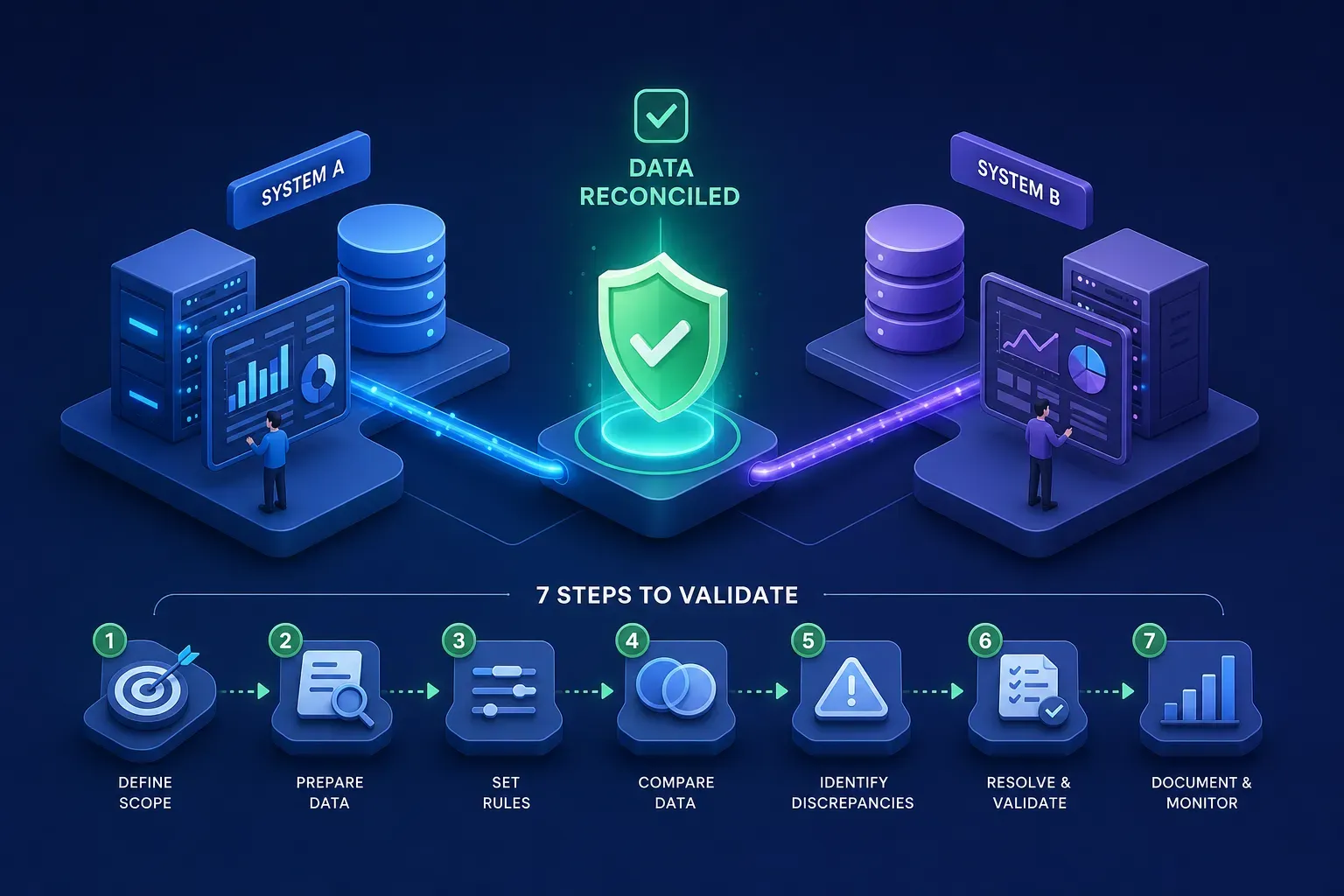
Your close is due at 6 p.m. The ERP shows 12.7 million in bookings. The CRM rollup shows 12.4 million. Cross system data validation is what prevents this stall. Without it, finance, sales, and engineering end up on a late-night call swapping extracts and hunches.
There is a better path. In this guide I share a repeatable seven-step cross system data validation program you can put into production: define rules and SLAs, automate cross-system data reconciliation checks, pick the right tools, troubleshoot root causes fast, and monitor the few metrics that prove trust. You will replace manual reconciliation with a workflow that scales.
I built DQ Pursuit to automate this. DQ Pursuit is designed to provide no-code cross-system consistency validation so you can configure counts, hashes, and field rules across ERP and CRM and keep an audit trail. Use this framework with the most common warehouses, ERPs, and CRMs, then use DQ Pursuit to take the manual pain out of it.
What is cross system data validation, really?
A clear definition and scope: records, aggregates, semantics
Validation across systems means verifying that entity-level data agrees, that aggregates reconcile, and that business rules hold when data moves from a source of record to downstream consumers. You check record identity and values, then confirm totals and distributions, and finally confirm semantics like statuses, dates, and currency logic. These are the data consistency checks that make results dependable instead of debatable.
Think in layers: start with counts and control totals, then match rows by keys, then compare fields, then enforce cross-field and business rules. The north star is a documented single source of truth with clear timing windows for replication and transparent exceptions that are reviewed and approved. Working this way accelerates cross-system data reconciliation without relying on heroics.
Why it breaks across ERP, CRM, and data platforms
Different systems use different schemas, refresh cadences, and business definitions. Your ERP may define revenue at invoice-post time while the CRM treats it as order-booked, so their numbers are both correct inside their own rules and wrong relative to each other. Integration latency and eventual consistency make it worse. Identifiers are often inconsistent or missing, and governance gaps let silent drift accumulate until month end. You do not have a data problem. You have a definition, timing, and control problem that data surfaces.
The anatomy of a mismatch: schema, semantics, timing, transforms, duplicates
Mismatches usually fall into five buckets. Schema drift happens when fields are added, removed, or types change (learn more about schema drift). Semantic drift creeps in when revenue, status, or “active” are defined differently across teams. Timing issues pit event time against processing time. Transformation logic in ETL can skew values, and duplicates inflate aggregates when record linkage is weak.
Use these quick diagnostics to classify the issue fast:
- Counts equal, aggregates off: suspect transforms, currency, or unit conversions.
- Counts off, groups off by date or product: suspect missing partitions or late-arriving data.
- Missing rows on one side: suspect joins on the wrong key or failed loads.
- Field-by-field drift on matched keys: suspect schema changes, type coercion, or timezone logic.
- Totals inflated with identical attributes: suspect duplicates and poor survivorship rules.
Where DQ Pursuit fits: cross-system consistency without manual recon
DQ Pursuit is built to run cross-system consistency validation with minimal or no code, depending on integration. Teams can configure counts, hashes, and field-level rules across systems and view lineage to investigate where drift may have started. The intent: help identify problems, control their blast radius, and correct issues with guided workflows.
For example, a typical setup might reconcile Customer and Order facts across ERP and CRM nightly. The platform can alert you if order counts by day diverge, if SHA-256 fingerprints differ, or if order status transitions violate business rules. For broader industry patterns on reconciliation, see this practical data reconciliation guide. The goal: a clear diff, explicit ownership, and SLA timestamps.
Plan before you compare: steps 1-3
1. Identify critical entities, CDEs, and SLAs
Start where impact is highest: customers, orders, invoices, inventory. Mark critical data elements like customer_id, order_amount, invoice_status, and posting_date, then write down acceptable mismatch windows and reconciliation SLAs for each domain. Set freshness expectations by domain.
Cash and receivables work queues often need under five minutes, while inventory snapshots may tolerate fifteen. Define what happens when the window is missed so there is no debate during the close.
2. Align keys, semantics, and reference data
Map business keys across systems and decide your authoritative key source. In SAP or Oracle ERP, preserve the enterprise customer number or party/account number, then store it as an external ID on Salesforce Accounts so you can upsert reliably without creating duplicates.
Standardize definitions and reference data mappings, then document exceptions. When keys are weak or missing, plan deterministic matching first and probabilistic next, and maintain a cross-reference table like ERP_Customer_Key to CRM_AccountId with timestamps and sync status. This contract is the backbone of every downstream join.
3. Pre-flight ETL data validation: counts, partitions, schema, freshness
Confirm expected files and tables arrived, partitions are present, and the date window is complete. Validate schema compatibility and type coercions before any deep comparisons so you do not chase false differences introduced by format changes.
Check freshness lag and replication thresholds to avoid false positives from late data. As a reference, many ERP to warehouse syncs run in five to fifteen minutes, with alerting near sixty seconds for near-realtime flows. If your window allows up to fifteen minutes, suppress comparisons until both sides meet freshness SLAs.
Prove and automate: steps 4-7
4. Match and deduplicate across systems with record linkage
When performing cross system data validation, choose deterministic matching on stable keys first, then apply probabilistic matching for leftovers. Handle one-to-many joins carefully and keep a matched-pair dataset so you can repeat comparisons and audits with the same population.
Quantify duplicate rates and set survivorship rules. In CRM migrations, duplicate rates of 10 to 30 percent are common, which is why composite rules and calibrated fuzzy matching reduce duplicates fastest. For concrete recommendations on customer data deduplication, consult migration-focused guides. Decide which record wins for each attribute and log every merge decision.
5. Compare values: counts, hashes, aggregates, and field-level rules
Run control totals and aggregates to localize drift. Compare sums by day, account, or product, then generate a table fingerprint with a strong hash so you can detect divergence fast. Prefer SHA-256 over platform checksums and hash a canonicalized row string, then aggregate in a deterministic order.
Perform row-level diffs by key and verify business logic coherence with cross-field rules. Examples include uniqueness on order_id, referential integrity from invoice to customer, non-negative inventory, and valid timestamp ranges. A reliable sequence: count group count table hash row hash by key direct field comparison. Avoid engine-specific CHECKSUM shortcuts because they collide and vary by platform.
6. Trace lineage and pinpoint root causes fast
Use lineage to trace a mismatch back through transforms and sources. You will find timezone conversions applied in one path, currency rounding in another, or a schema edit that coerced string to integer and dropped leading zeros.
Prioritize fixes by business impact and regression risk. Correct the failing transform. Add a guardrail test and reprocess the affected window. Store evidence so the same issue does not reopen during the next audit.
7. Automate runs, alerts, and remediation workflow
Schedule validations in your orchestrator and CI so every change runs the same suite. Version rules and thresholds, and tag violations by severity so the right owner sees the right alert.
Enforce time-to-fix SLAs, then close the loop with re-validation and documented exceptions. In DQ Pursuit, the intended workflow follows an Identify, Control, Correct pattern so teams know what failed, what to do next, and when the issue is resolved.
The essential checks that catch real-world drift
Control totals and group counts that fail loud
Start with total records and group counts by business key or partition. If daily order counts match but counts by product do not, your slice is missing and you have a scoped problem rather than a systemic one. These control totals are foundational data consistency checks in cross system data validation.
Use day, account, and product groupings for early signals, then set acceptable variance policies for late data. For example, many teams allow a tiny variance in the most recent hour (e.g., within a small percentage or count), then require exact agreement for prior days once freshness SLAs elapse.
Checksums and table fingerprints to spot drift quickly
Create table-level fingerprints using a canonical row string hashed with SHA-256. Normalize nulls, whitespace, and date formats, hash each row, order results deterministically, then hash again to get a stable table fingerprint that works across Snowflake, BigQuery, Redshift, and SQL Server.
Hashes are for detection, not proof. If fingerprints differ, verify with direct comparisons. Avoid enginespecific CHECKSUM shortcuts because they collide and vary by platform.
Row-level and set comparisons for exact diffs
Use a full outer join by matched keys and compare fields to find missing and mismatched rows. For presence-only checks, EXCEPT-style set comparisons isolate records that exist in one system but not the other.
Write diffs to a triage table with reason codes so stewards can investigate. Route these diffs into your issue queue and link them to rule runs for a complete audit story.
Cross-field validation and referential integrity you can trust
Enforce business-rule checks that keep data coherent. Validate non-negative inventory, enforce valid date windows, require legal status transitions across the order lifecycle, and confirm currency and unit consistency.
Validate foreign keys and parent-child consistency so invoices always point to a valid customer. Capture nullability and format rules as explicit data integrity checks so they are testable and reportable.
Tools for cross system data validation at scale
Open-source options: Great Expectations, Deequ, Soda, dbt tests
These frameworks shine for declarative expectations, profiling, and unit-like tests in your pipelines. They integrate well with warehouses and orchestrators, and they help teams standardize rules for completeness, uniqueness, and freshness.
The gaps show up with multi-platform joins, stewardship workflow, and audit trails. You can wire these tools together, but you will assemble your own diff stores, ownership model, and SLA tracking. DQ Pursuit is built to cover those pieces out of the box while playing nicely with these tools.
SQL-first patterns and Google DVT for migrations and cross-system data reconciliation
Custom SQL remains the workhorse for counts, aggregates, hashes, and row-level diffs. Google’s Data Validation Tool and Data Diff, style approaches make source-to-target checks repeatable during migrations and replications.
The tradeoff: code sprawl and test catalogs that no one governs after the original author rotates out. Centralize patterns, standardize parameterization, and store results or you will lose the thread when people rotate.
Why we built DQ Pursuit cross-system consistency validation
We built DQ Pursuit as a no-code/low-code way to compare systems, reuse rule libraries, and triage with lineage. Control dashboards, exception workflows, and audit-friendly artifacts are included to help teams move from detection to resolution faster.
This is intended to reduce manual reconciliation between ERP and CRM. Counts, hashes, and field rules can run on schedule, diffs can route to owners, and approvals can persist as artifacts for audit and compliance reviews.
Combine DQ Pursuit with your stack for speed-to-value
Keep your dbt tests, Great Expectations, and observability tools. Use DQ Pursuit for multi-system joins, stewardship workflow, and SLA enforcement so business users can own trust without writing code. It complements a cross-system data validation program rather than replacing existing checks.
Many teams report rollouts in a few weeks depending on scope and integrations. Start with customers and orders, publish control totals and fingerprints, route violations, then expand to invoices and inventory. Speed-to-value beats big-bang deployments every time.
How do you measure success and prove trust?
A starter dashboard: consistency rate, mismatch count, pass rate
Track a small, high-signal set, these five metrics keep the team focused and give stakeholders a clear story at close.
- Cross-system consistency rate and mismatch count
- Validation pass rate and completeness ratio
- Duplicate rate and freshness lag
- Aggregate reconciliation deltas on key totals
- Time to root cause for high-severity issues
Alert thresholds by severity and business criticality
Use critical, warning, and info bands tied to CDEs and regulated fields. Treat IDs, amounts, statuses, and timestamps as zero-tolerance for drift where business or regulatory risk dictates, because small differences often signal bigger gaps.
Adopt error budgets for non-critical fields and tighten them over time. Calibrate freshness thresholds using observed distributions from your pipelines, and prevent false alarms by pausing comparisons until both sides meet freshness SLAs.
Roles, runbooks, and incident SLAs that close the loop
Assign owners. Data stewards triage and confirm business impact, engineering debugs pipelines and transforms, and business approvers sign off on exceptions and merges.
Standardize runbooks for triage, root cause, and rollback or forward-fix plans. Set time-to-detect and timeto-remediate targets so you measure response quality, not just data quality.
Audit-ready evidence, lineage, and exception handling
Persist diffs, rule results, and approval notes. Capture lineage snapshots that show due diligence and change control so audits become a walkthrough, not a hunt.
DQ Pursuit is designed to store these artifacts by default, depending on configuration. You can show when a rule changed, why an exception was accepted, and which records were revalidated after the fix.
Make reconciliation a routine, not a fire drill
Cross system data validation is a discipline, not a one-off cleanup. When you apply layered checks, clear SLAs, and automation, the ERP and CRM stop arguing and your close stops slipping.
Pilot this cross system data validation program on one high-value domain this week. Then use DQ Pursuit to handle more of the heavy lifting so your team can reduce manual reconciliation and focus on decisions with data you trust. For additional reading on practical month-end processes and reconciliation best practices, see a focused write-up on month-end reconciliation. If you prefer, call it a cross-system data validation program, the principle is the same: make trust repeatable.
Experience DQ Pursuit for Yourself
Discover the power of confident and business-ready data on your own personal demo.